01
Place the light
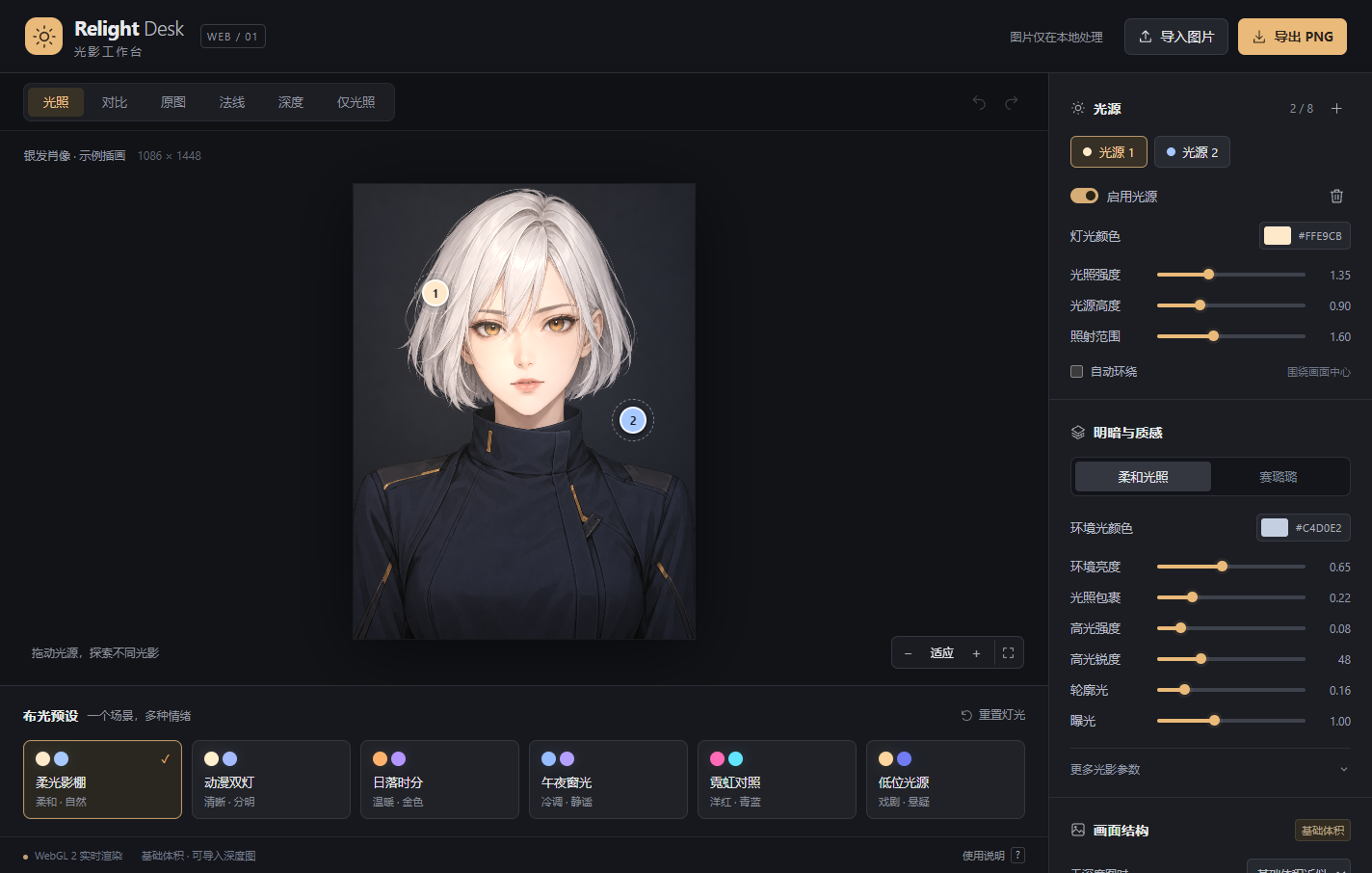
Move up to 8 independent lights. Fine-tune the color, intensity, and height of each one.
A little light. A new perspective.
Move the lights. Shape the shadows. Give your illustrations and photos another atmosphere, right in your browser.
No login · Your images stay in your browser
LIGHT, YOUR WAY
From soft daylight to cool neon. Find a new mood in a familiar image.
Move up to 8 independent lights. Fine-tune the color, intensity, and height of each one.
Start with 6 lighting presets. Explore smooth and cel shading to find your own style.
Compare with the original, adjust highlights, rim light, and dark-line protection, then export a PNG.
Choose a PNG, JPEG, or WebP, or explore the sample.
Move a light or try a preset. Watch the result change live.
Compare your result and export a PNG. Save light settings separately.
No. Your images, depth maps, lighting previews, and PNG exports are processed inside your browser. Only the tool and sample assets are loaded from this website.
No. Start with a basic volume estimate or a flat fill light. You can also import a matching grayscale depth map for more accurate shading and approximate cast shadows. This version does not automatically generate AI depth maps.
Exports use the working image size and preserve transparency. Large images are scaled proportionally to a maximum long edge of 4096 pixels, subject to device limits. Shadows already present in the original image are not removed.
Open the workspace. Start with a single image.